
Kill the dust
Almost every bubble that will not clear is a speck of dust underneath. Wipe, dry, then dab the corners with the sticker.
Maximum protection, zero compromise — and no steady hands required. The box is the tool: it lines the glass up for you, so the whole job takes about four minutes.
The whole process, in real time.
Same three steps for OptiGuard™ Clear, GlareX™ Matte and StealthX™ Privacy — every pack ships with the alignment box.
Everything you need is already in the pack.
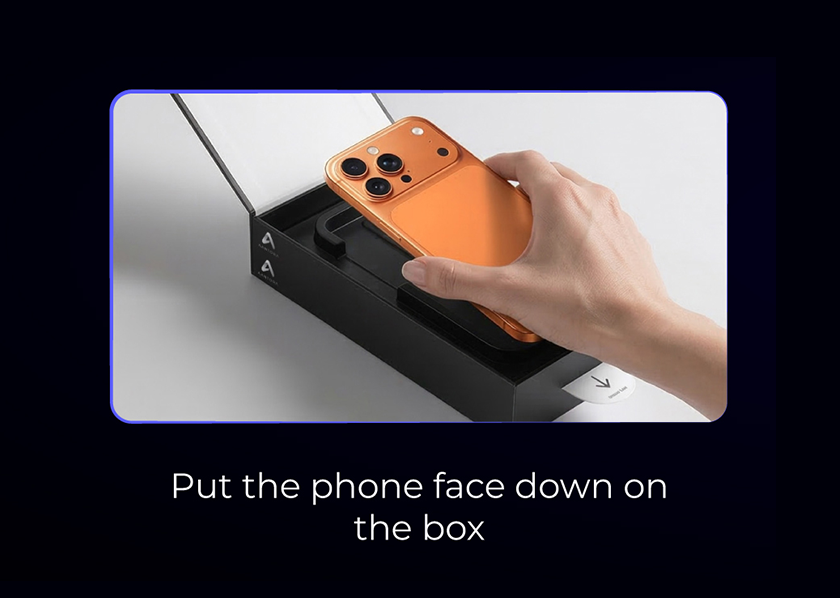
Clean the screen first — wet wipe, dry cloth, then lift the last specks off with a dust sticker. Lay the phone face down into the tray moulded into the lid. It only seats one way.
Do this on a flat table, not on your lap. Dust settles less on a hard surface.
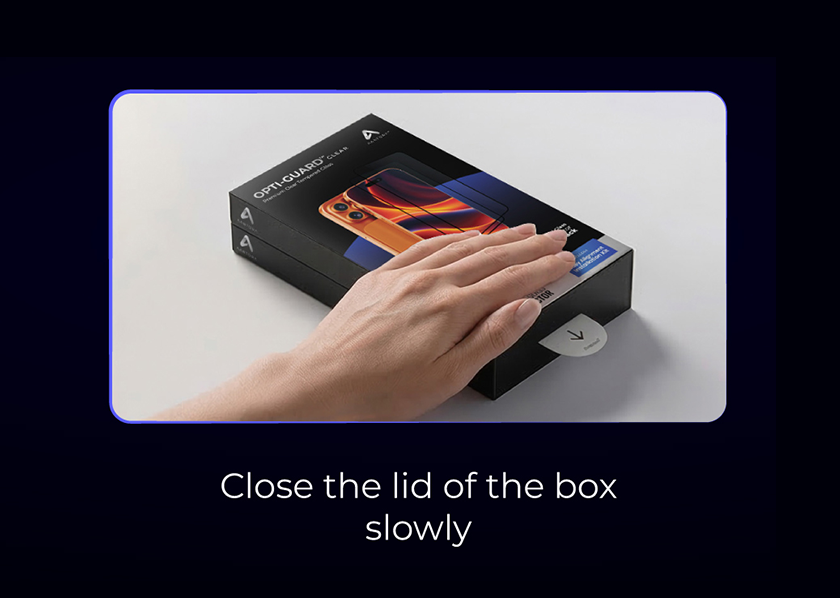
Bring the lid down until it clicks shut. Inside, the glass is already lined up with the cutouts, so closing the box is what centres it — you never touch the adhesive side.
Slowly is the whole trick. Snapping it shut traps air along one edge.
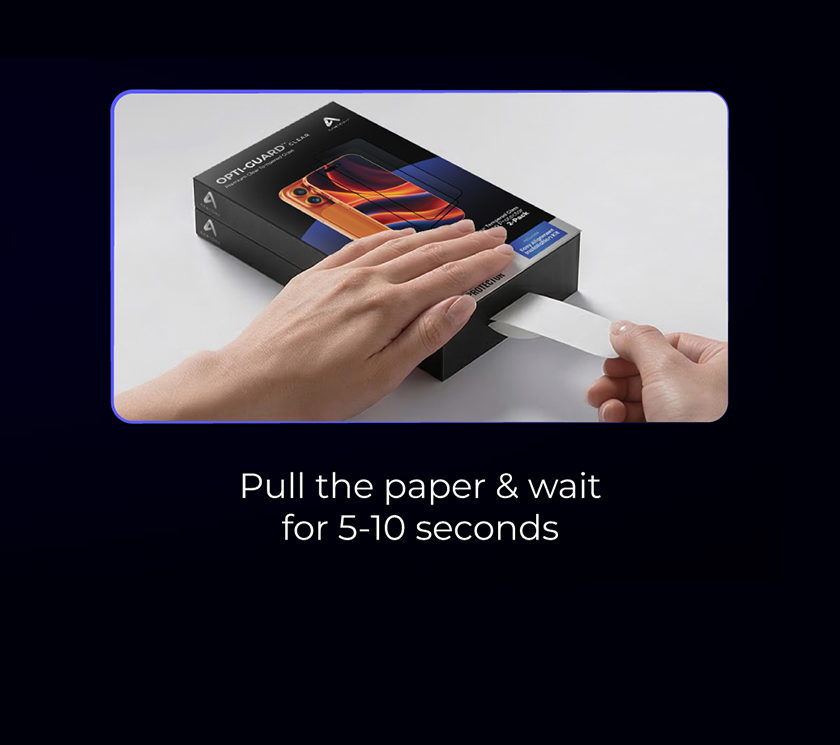
Pull the tab straight out and give it a few seconds. The adhesive walks across the display on its own and pushes the air out ahead of it. Open the box and take the phone out.
A stray bubble usually clears overnight. If one holds, sweep it to the nearest edge with the cloth.
Almost every bubble that will not clear is a speck of dust underneath. Wipe, dry, then dab the corners with the sticker.
A table beats a bed or a sofa. Less airborne lint, and the box sits flat so the lid closes square.
Every pack ships with a second protector. If the first one lands badly, you have not lost anything.
Small ones near the middle press out on their own within a night. Push larger ones toward the closest edge with the microfibre cloth, working from the centre out. A bubble that will not move has dust in it — lift the corner, lift the speck off with tape, and lay the glass back down.
Lift one corner with the pull tab before the adhesive fully settles, take the glass off, and run it through the box again. The adhesive handles being re-seated a few times.
That is usually a case rim pushing up on the glass, or oil left on the display near the edge. Take the case off, clean that strip again, and press along the edge with the cloth for a few seconds.
Use the second protector — that is what it is there for. If a protector failed on its own rather than during installation, message us through the Amazon store.
Clear, matte or privacy — every pack ships with the same alignment box and two protectors.